
How to use a Star Citizen referral code
Find the RSI referral field, add a missing code within 24 hours and understand account, access and reward conditions. RSI referral conditions
Add the code at signup or within 24 hours of creating your account. That is not a deadline to buy. A free account can join public Free Fly events during their announced windows. Special event rewards have separate rules. RSI rules
✓ Verified referral code · Today: 24 October 2026 ✓ RSI form and sources checked 30 September 2026For balances and resets, read RSI’s currency explanation. Package UEC, account UEC and temporary alpha aUEC are different balances.
STAR-JTV7-FXLR
Open official signup with code
Standard 50,000 UEC benefit after a Game Package purchase. New accounts only; creating the account is free.
A referral belongs on a new RSI account, not in the store's coupon box. Use the full code STAR-JTV7-FXLR, including both hyphens. Creating the account is free; you can decide whether to buy later.
Open signup with the field filled in
- Open the official RSI link.
Create an RSI account with STAR-JTV7-FXLR. An already signed-in account may be taken to the RSI homepage instead.
- Check the referral field.
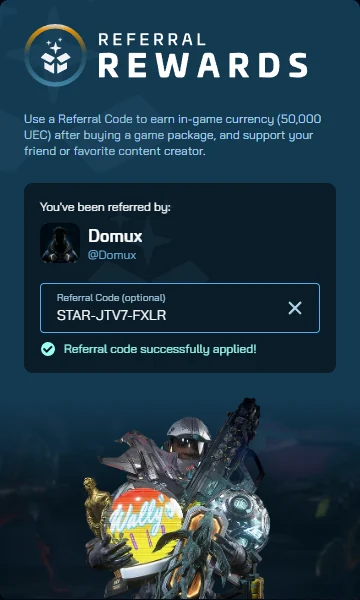
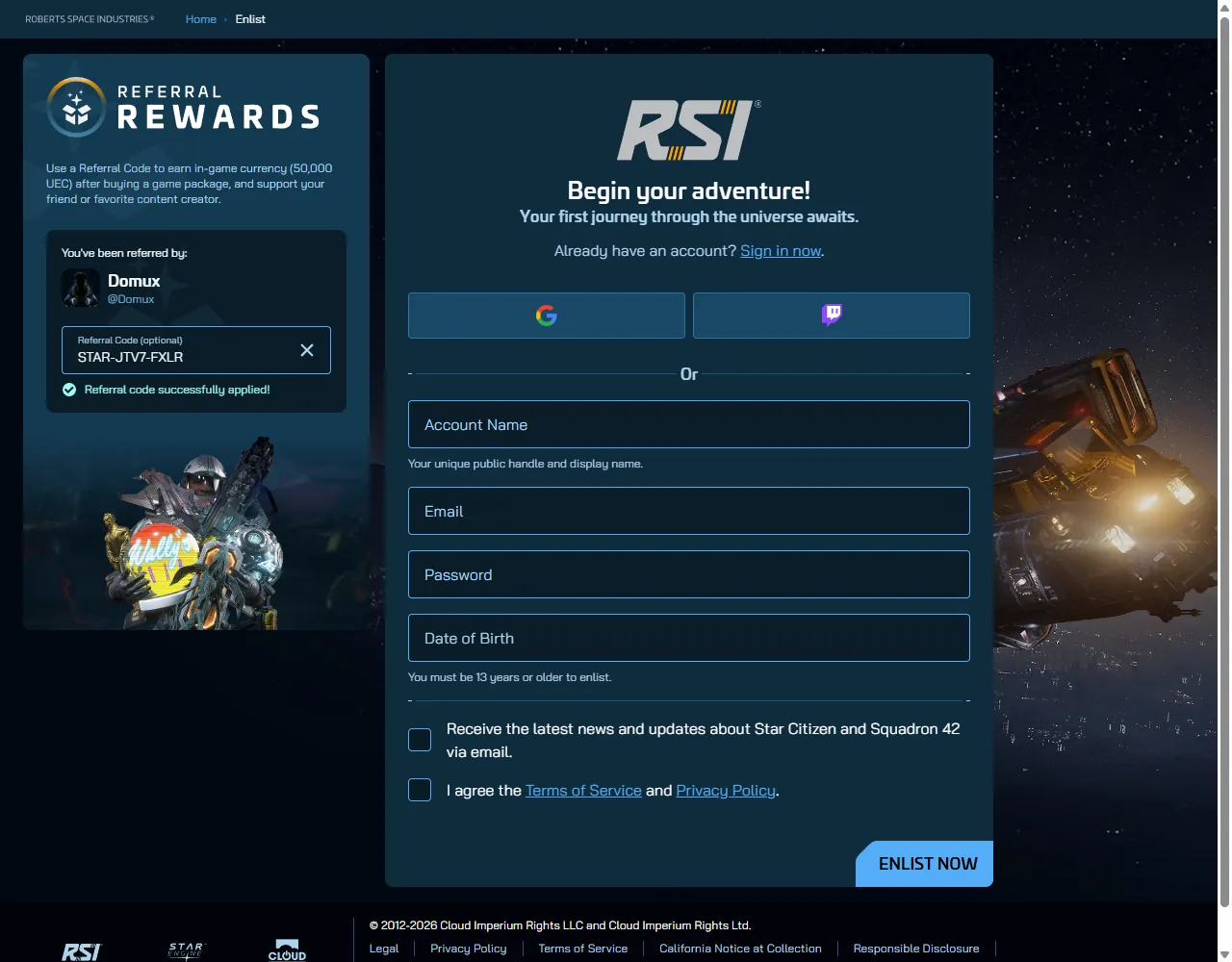
In the Referral Rewards area, look for Referral Code (optional). Confirm that it contains STAR-JTV7-FXLR. You can also paste the code manually on the ordinary enlist page.
- Complete your account details.
Follow the current RSI form, including its terms and any confirmation steps. You do not have to buy a package to keep the referral association.
Already created an account without a code?
If the account is less than 24 hours old and no code is attached, sign in at RSI, open the account icon and use the referral entry box in the account summary. Enter the code there. The 24 hours runs from account creation, not from your first purchase.
If a code is already associated with the account, RSI says it cannot be changed. If the entry window has passed, a signup link does not reopen it. Read the existing-account rules and limited support route before taking any action with an older account.
Code accepted, but no money in the game?
The standard referral benefit is 50,000 account UEC. Account UEC, package UEC and the alpha's aUEC wallet are different balances. RSI warns that adding a code later can delay its appearance in the alpha wallet. This guide has not tested a credited balance or completed a purchase for you. RSI currency definitions
A code does not grant permanent game access. Outside a confirmed public trial you need a Game Package; a standalone ship is insufficient. Compare access and source-dated package prices before buying. The referrer's separate $40 spending condition is not an extra player-bonus threshold.
Official RSI referral instructions and conditions and the currency explanation.
What the screenshots and checks establish
The two images below were captured on 2 June 2026. They show an earlier layout, including a confirmation message that was absent during the later recorded check. On 30 September 2026 the official link pre-filled the referral field; no separate success message or referrer name appeared before signup. These are historical observations, not a new form test today.
Referral disclosure: Domux earns a Recruitment Point only when a referred account owns a Game Package and reaches $40 USD in eligible fresh-money pledge spending. Store credit and gifted pledges do not count. You pay the same package price with or without the code.
Sources and updates
By Domux. Public RSI profile, enlisted 3 January 2016.
Edited 19 October 2026. Source checks have their own timestamps.
Frequently asked questions
Where do I enter a Star Citizen referral code?
Use Referral Code (optional) in the Referral Rewards area of the official RSI enlist form. The link on this page pre-fills STAR-JTV7-FXLR. A store checkout coupon box is a different field.
Can I add a code after registration?
RSI allows an unlinked new account 24 hours from account creation. Sign in and use the referral entry box in the account summary. An already attached code cannot be replaced.
Must I buy Star Citizen within 24 hours?
No. That deadline concerns adding the code. It is not a deadline for buying game access. Special referral events can have separate purchase deadlines.
Does clicking the signup link earn a Recruitment Point?
No. A click or free account alone is insufficient. The referred account must own a Game Package and reach $40 USD in eligible fresh-money pledge spending. Store credit and gifted pledges do not count.
Ready to claim the 50,000 UEC?
The signup link pre-fills STAR-JTV7-FXLR. RSI advertises the bonus after buying a Game Package. The $40 fresh-money threshold determines the referrer's Recruitment Point.
Enlist with code STAR-JTV7-FXLR